Mobile browser
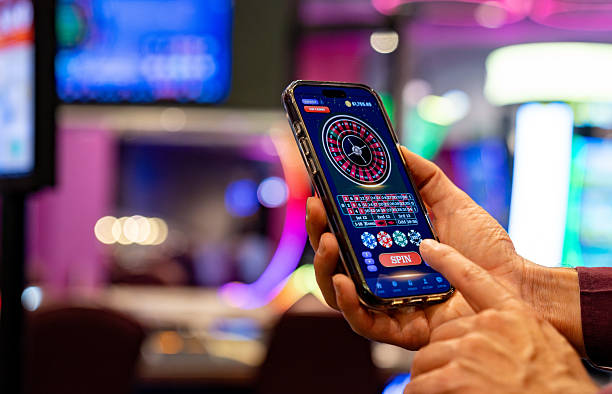
The sign-up form on mobile browsers uses the same three screens as desktop, sized for one-thumb scrolling. Field validation happens inline so you don't tap submit and lose context.
Register once and the full rayaselot lobby unlocks — live tables, slot rooms and sportsbook markets in one tab. The form takes under a minute: a username, a...
Three short screens — credentials, contact verification, then payment linking. On the first screen we ask for a username and a password you'll remember; we don't request anything we don't need. The second screen sends a one-time code to your phone or email so we can confirm the account belongs to you. The third screen lets you pin DANA, OVO, GoPay or
QRIS as your default funding method, which you can swap later from your dashboard whenever you want.
During registration you can pre-link any of the rails below so your first deposit clears without a second setup. Each option is configured for Indonesia accounts and supported...
If a field rejects your input or the verification code doesn't arrive, our chat agents are sitting on the registration screen specifically to unblock you in real time.
Drop us a note from the email tied to your in-progress account and we'll resume the registration thread, recover the username, or reset the password within the same working day.
Prefer chatting on WhatsApp? Tap the handoff button on the sign-up page and an agent picks up the registration query on the channel you already keep open.
We only ask for what's needed to operate your account — username, password, contact handle. No marketing surveys, no upsell screens wedged between the steps you're trying to finish.
Every credential you type during registration travels through a TLS-encrypted channel. Passwords are hashed before they reach storage, so even our own staff can't read them back.
A one-time code confirms the phone or email belongs to the account holder. This stops someone else from registering under your handle and keeps wallet links genuinely yours.
Number formats, address fields and wallet handles match what Indonesia accounts actually use — no awkward international templates that reject your real phone prefix.
Each registration step is timestamped against your account, so if you ever need to query a setup decision later, we can show you precisely what was confirmed when.
Forgot the password halfway through? The recovery link is on every screen of the sign-up flow — not buried three menus deep after you've already abandoned the page.
The sign-up form on mobile browsers uses the same three screens as desktop, sized for one-thumb scrolling. Field validation happens inline so you don't tap submit and lose context.
On desktop the registration panel sits centred with payment linking visible on the right column, letting you preview wallet options while you fill out credentials.
Tablet registration mirrors desktop spacing but keeps tap targets sized like mobile, so the experience holds up whether you're on a 7-inch screen or a 12-inch one.
Opening the sign-up link from inside DANA, OVO or GoPay launches a clean webview — the same form, no chrome, returning you to the wallet app after confirmation.
If you started registration earlier and closed the tab, returning to the same browser resumes from the step you left, with credentials safely held in the session token.
Begin the form on mobile, finish on desktop. The verification code remains valid across devices for the same email, so the account closes out wherever you prefer.
On weaker connections the form switches to lightweight mode — no heavy assets, no auto-refresh — so the registration still completes even when bandwidth is tight.